Windows Focus timer overview
Background:
There was a company wide initiative to empower our users to achieve more. With that notion, we have noticed some users have issues focusing on their tasks. Windows 10 have an existing feature “Focus assist” but most users do not know it exists.
Role:
I was the lead product designer on this project. I conducted initial interviews, created various design concepts, prototypes and final proposals of the design before handing it off to another design team.
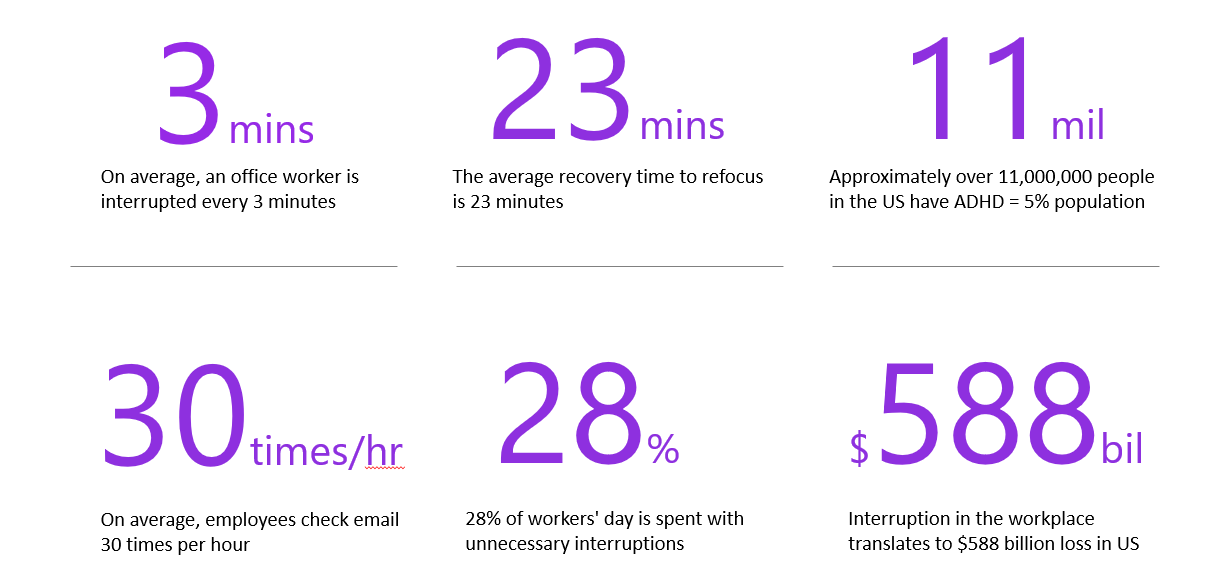
Initial market research
Initial user interview insights
Too many notifications that is distracting the users - Want to control how and when users receive notifications
Reduce social pressure to respond right away - Fear of missing out
Hard time focus for a long span of time
Hard for users to get back on track once they are interrupted or disrupted
Feeling failure and the avoidance of task leads to procrastination
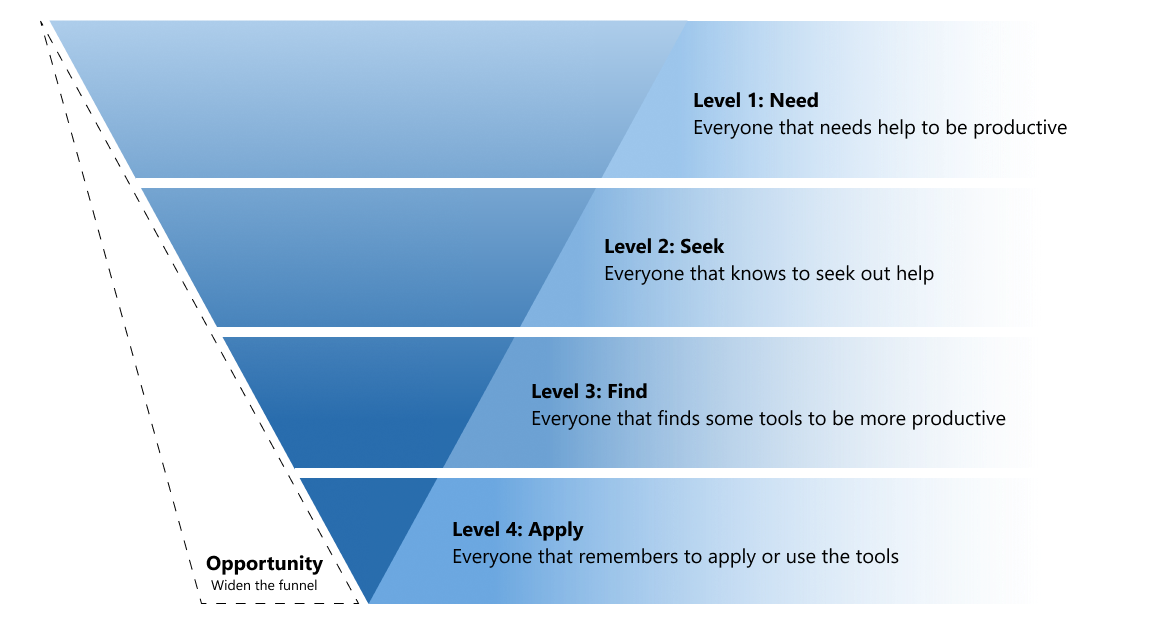
User Funnel
Problem statement
How Windows could help people stay focus on their task and be productive?
Current focus assist issue
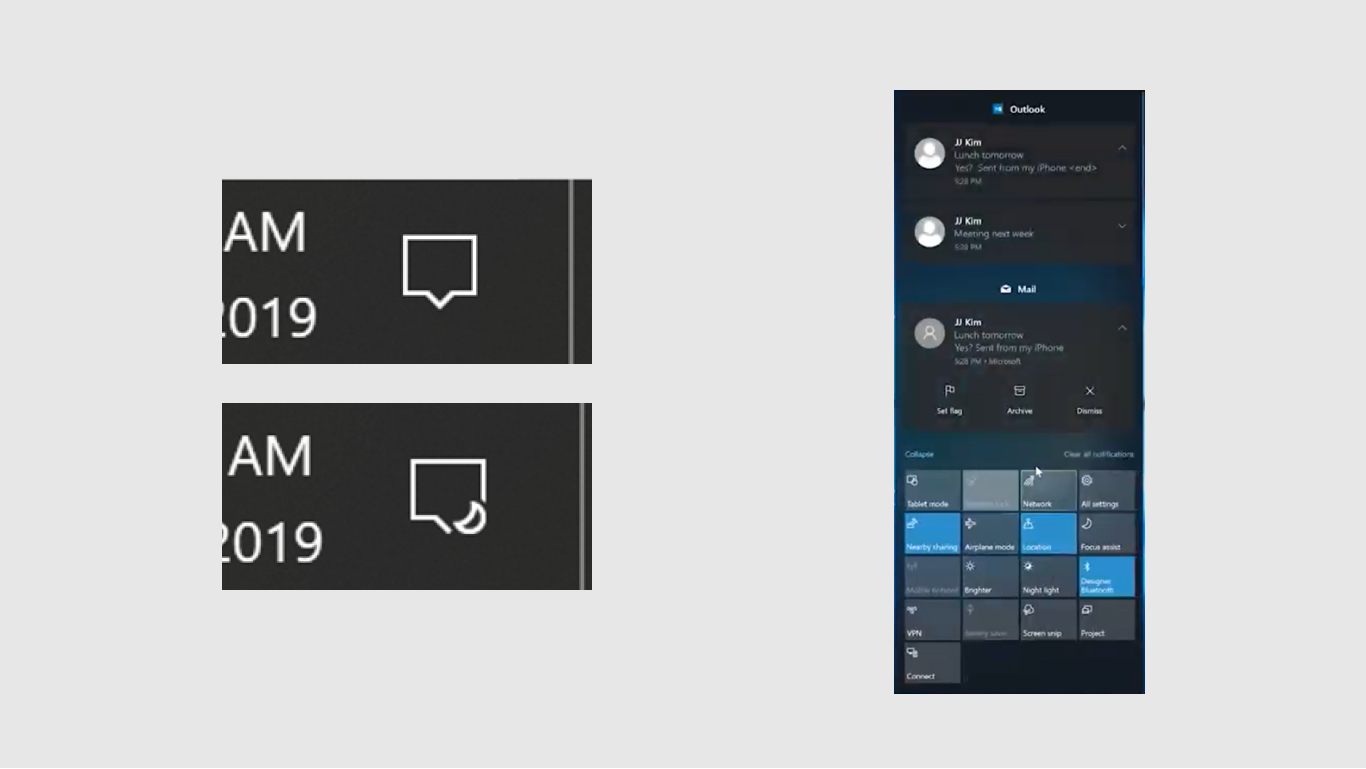
Focus assist is hard to discover and setting up priority list is hard to find in Settings
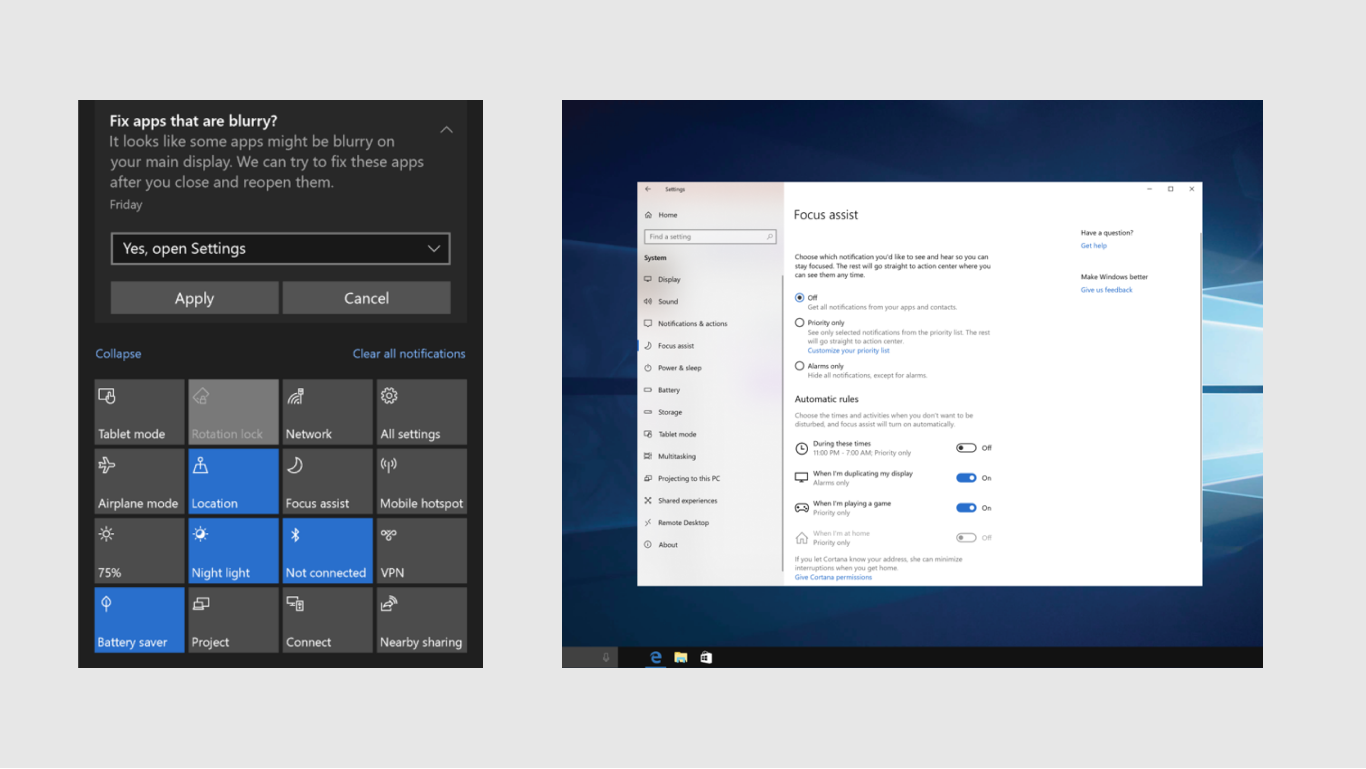
Focus assist icon is too small to be noticed when it is active. After focus session ended, it is hard to know which important notifications are missed and no activity summary.
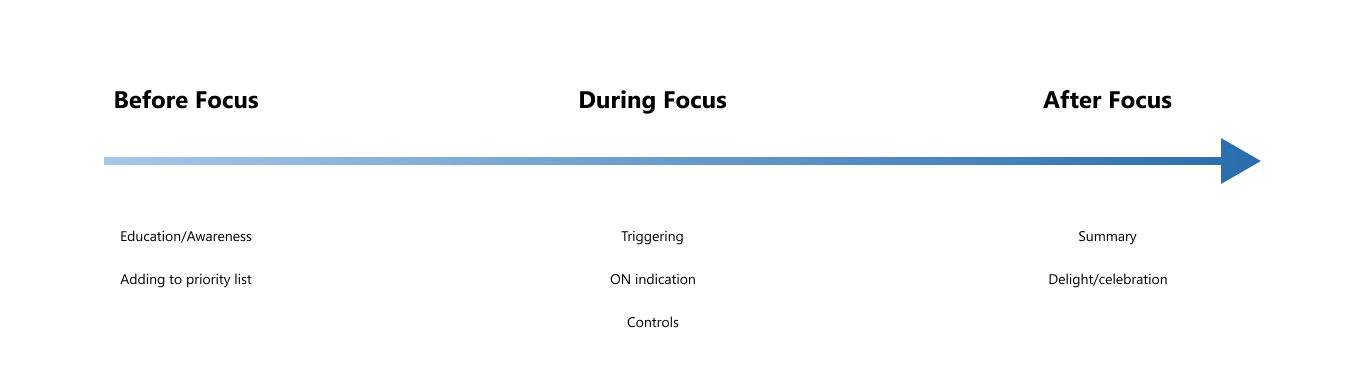
Focus stages
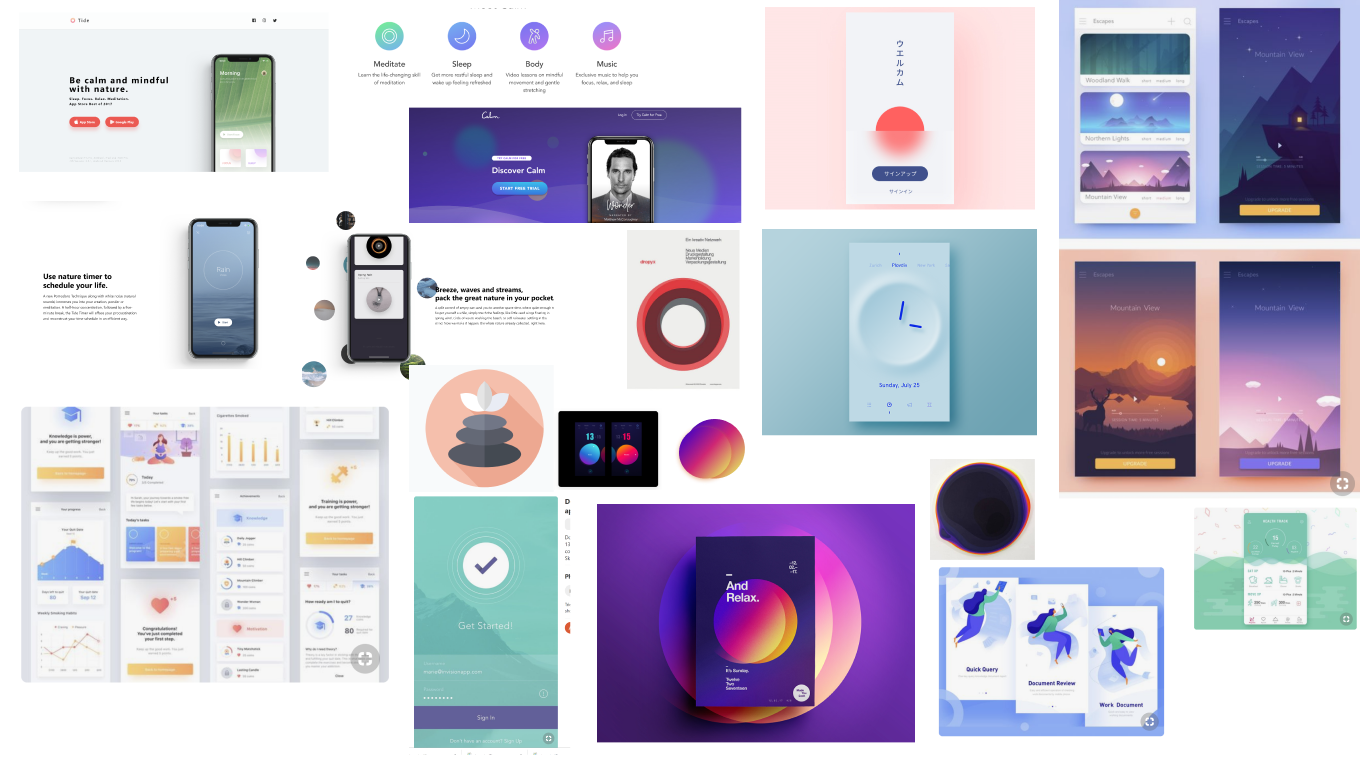
Mood board
Initial wireframes
Usability study insights
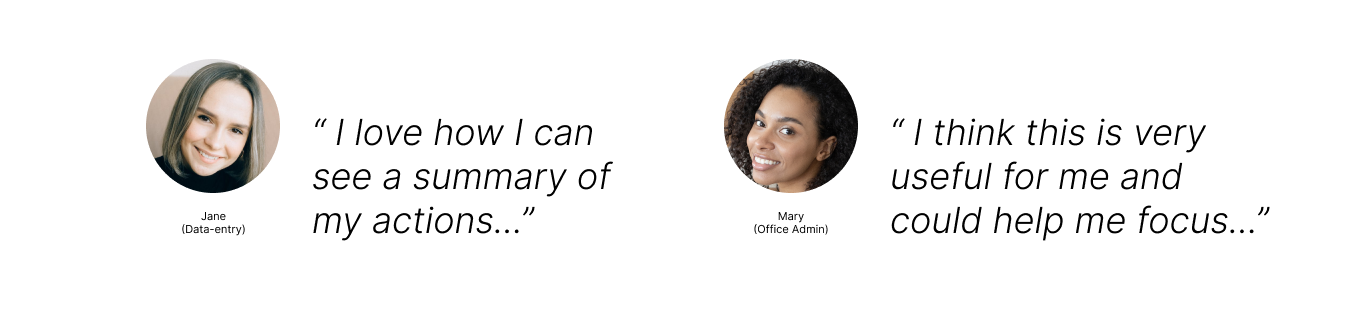
Conducted quick usability studies on an early prototype.
Users were able to find the Focus timer through the soft-landing tip.
The round clock representation of a counter resonated with user more than a bar
Users understood the UI elements and felt the elements were simple and clear
Proposed designs
Before focus
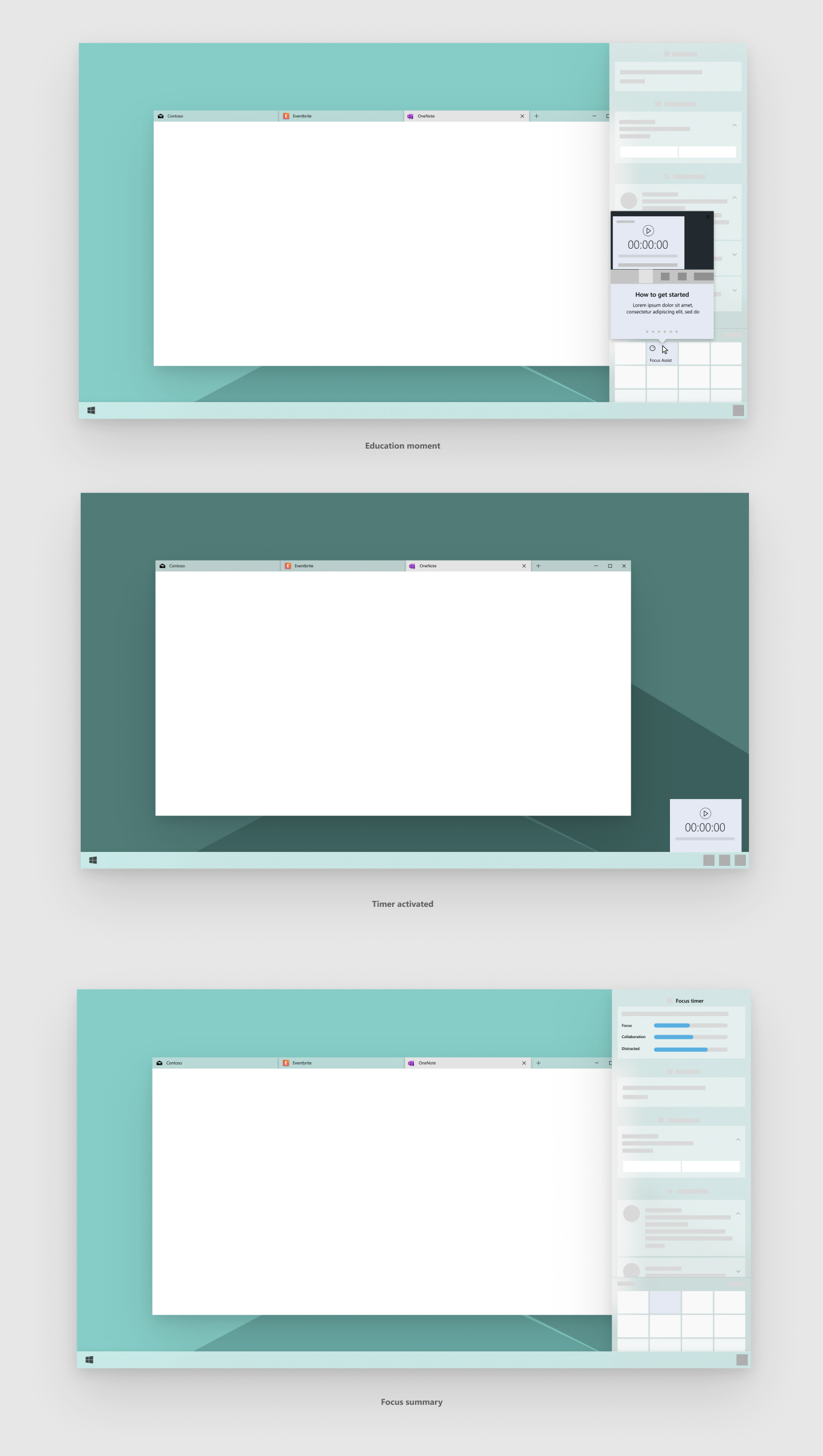
Better discoverability through tips or education
Increase focus timer visibility
Quicker way to add to priority list
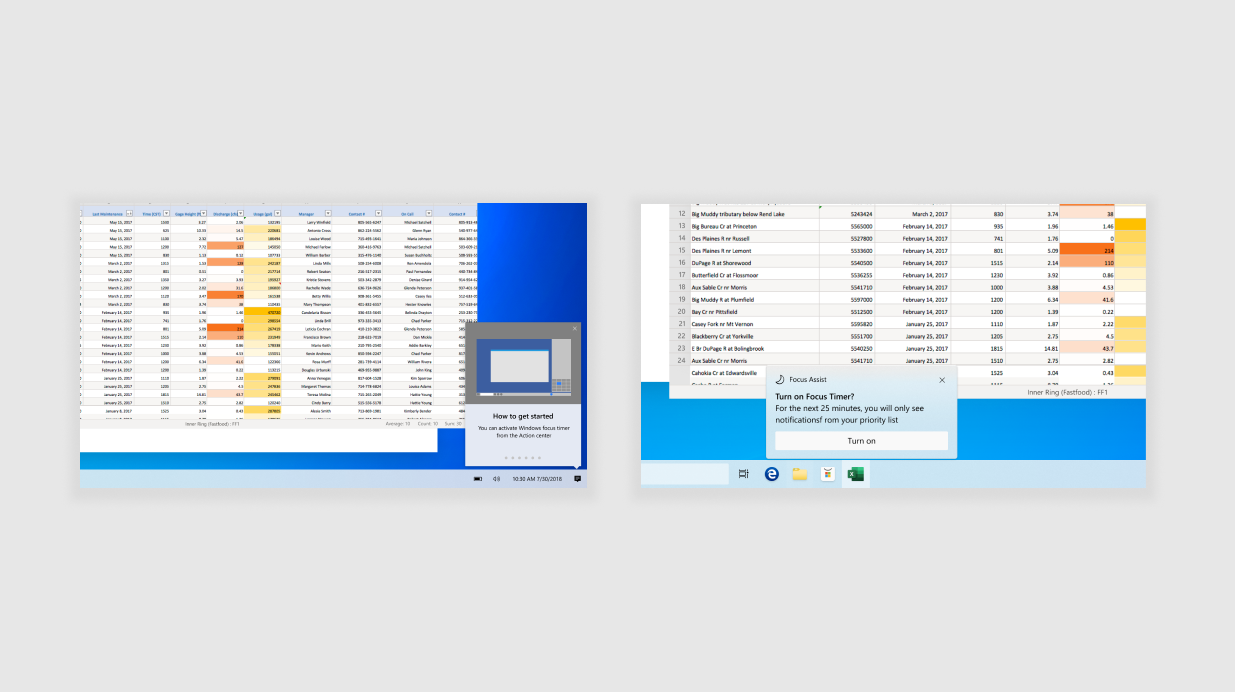
Initiate soft-landing education moments when system recognize that the user is in a focus state.
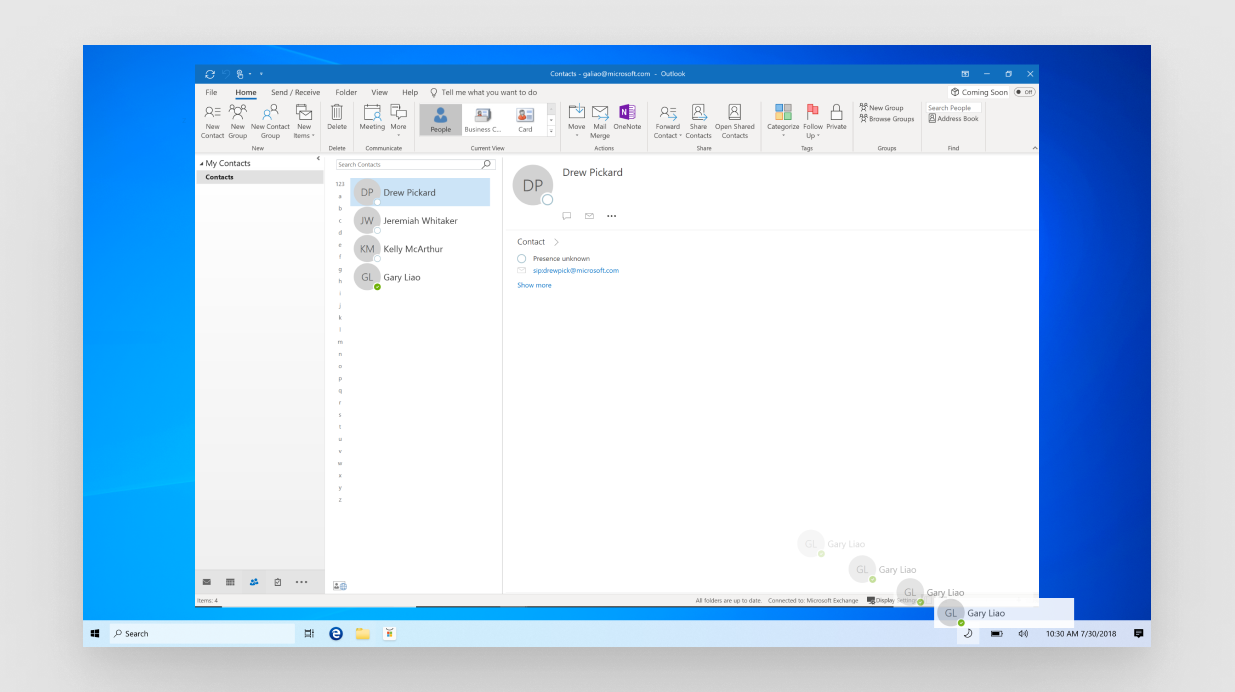
Allows for quick drag-n-drop of any people element into the Focus timer in the Systray to add to priority list
During focus
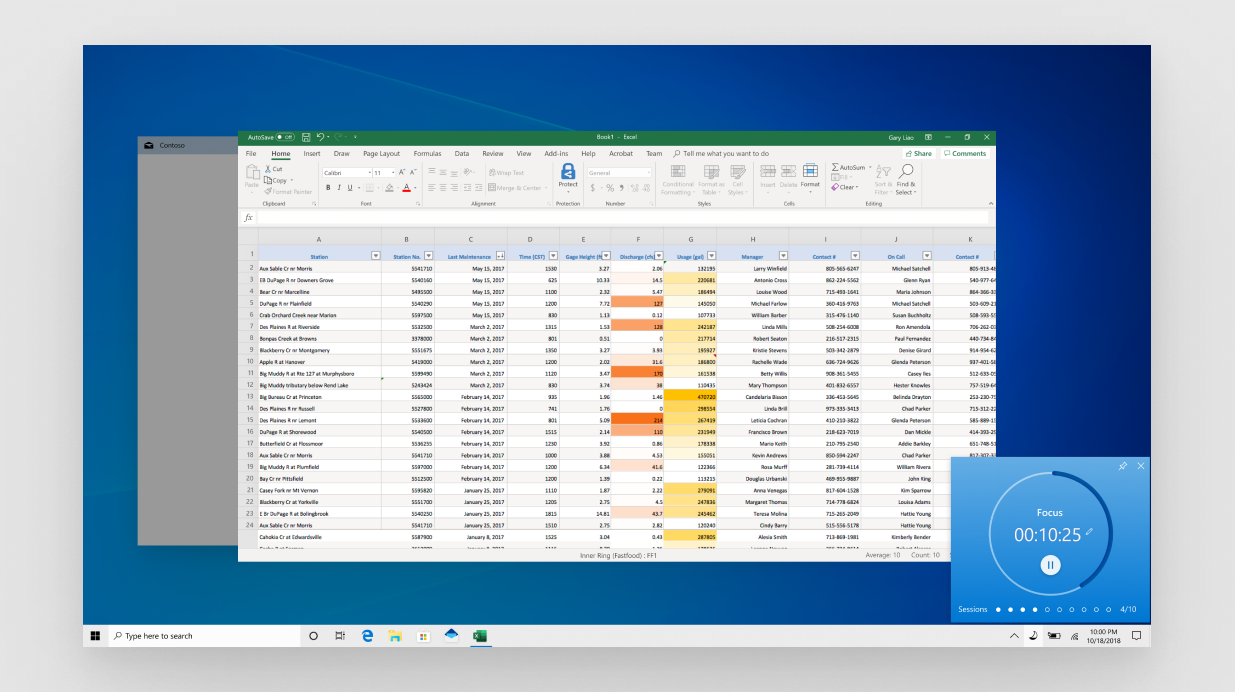
Visual indication that Focus timer is on
Enable pinning to monitor how much time left
Time box focus period to help user become more productive
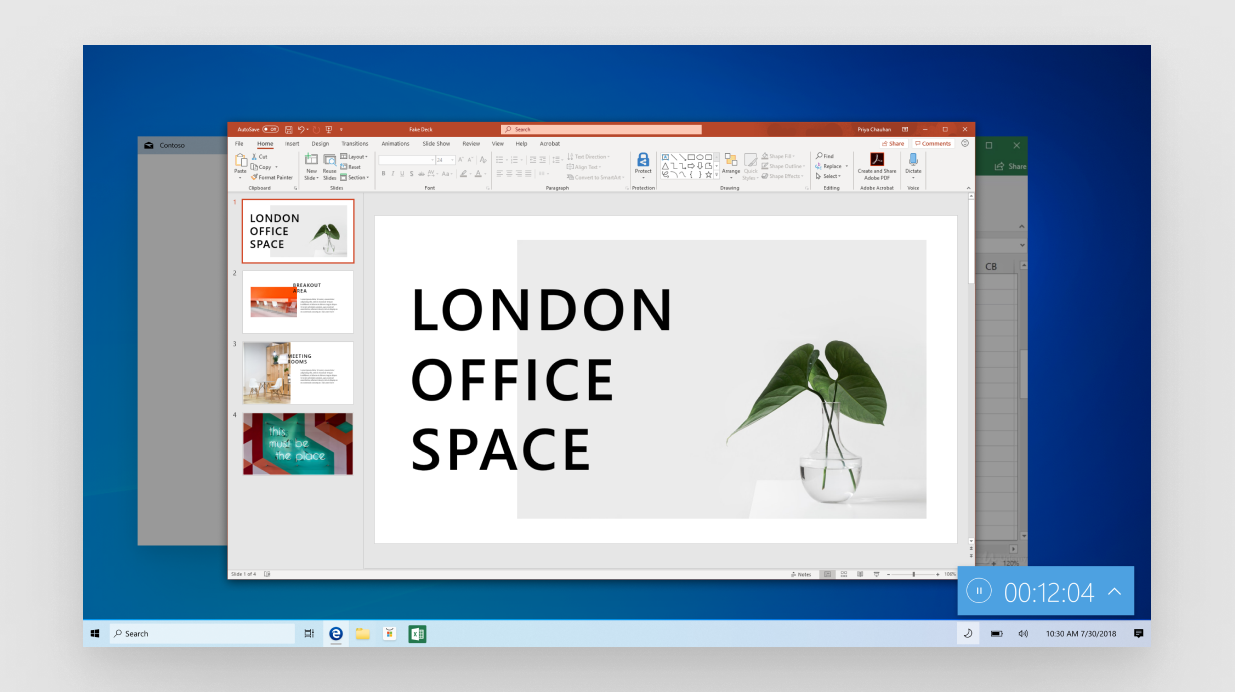
Allows for pinning the clock, so it would stay visible for the user
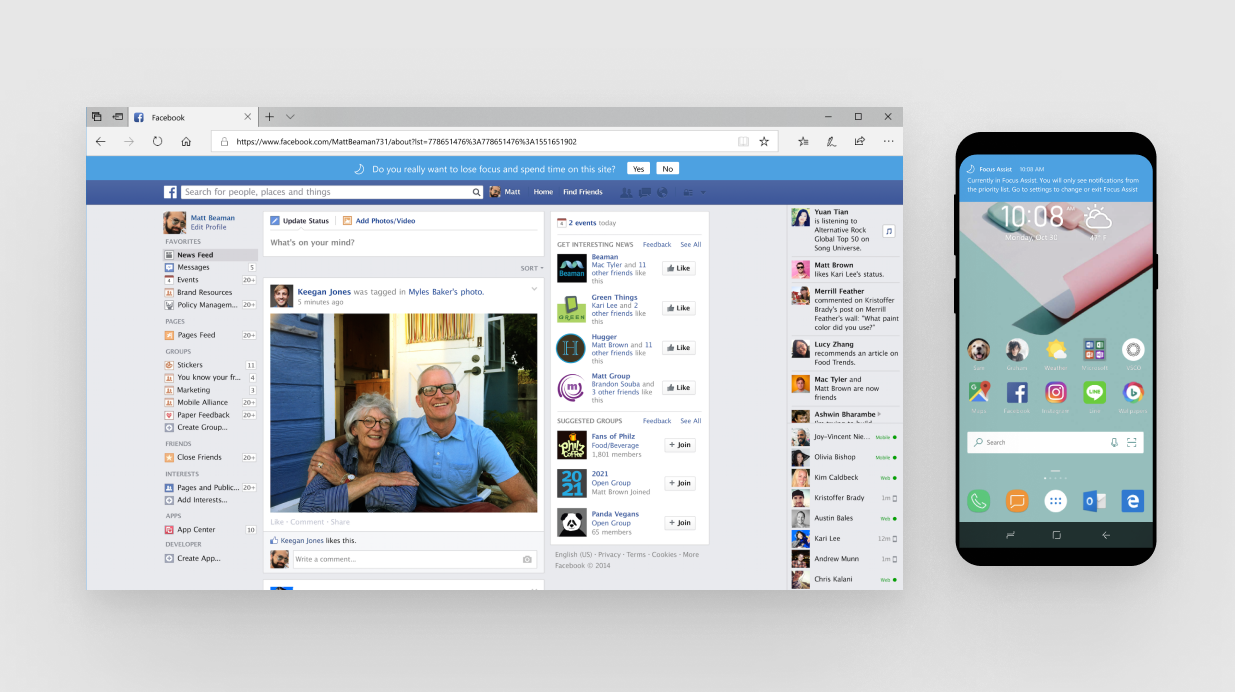
If user get distracted from websites or surrounding devices, it can be notified or have a warning
After focus
Provide prioritized detail summary of the focus period
Celebration and encouragement
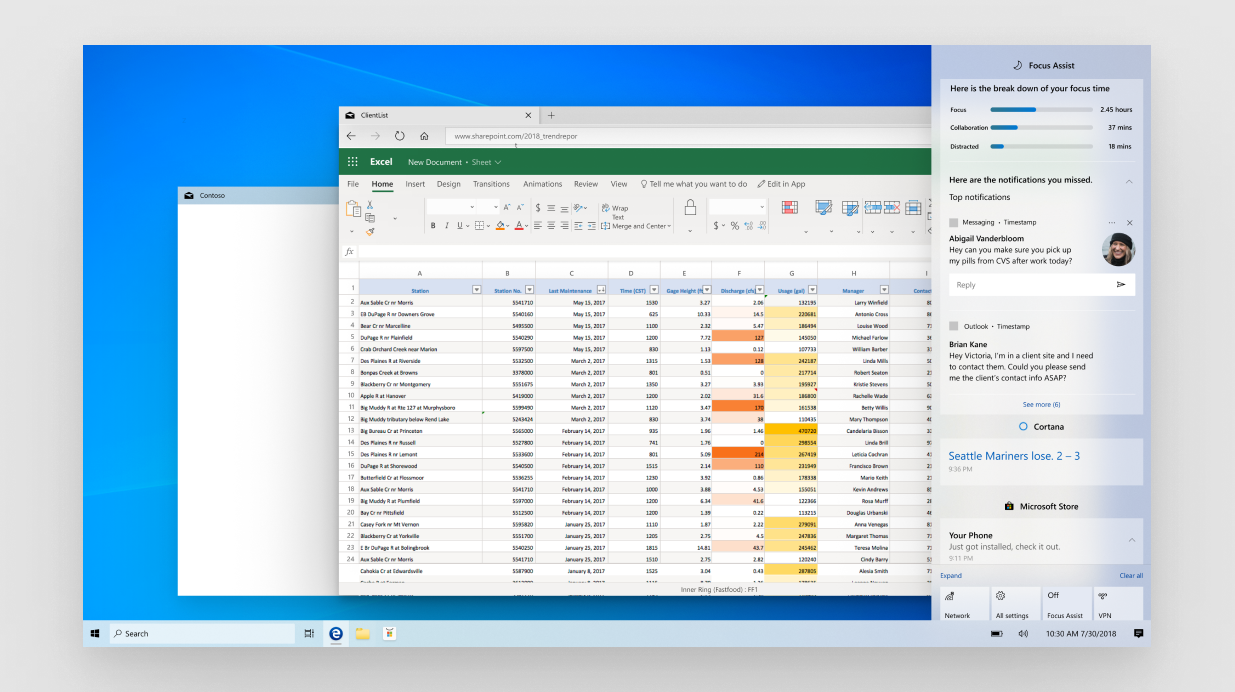
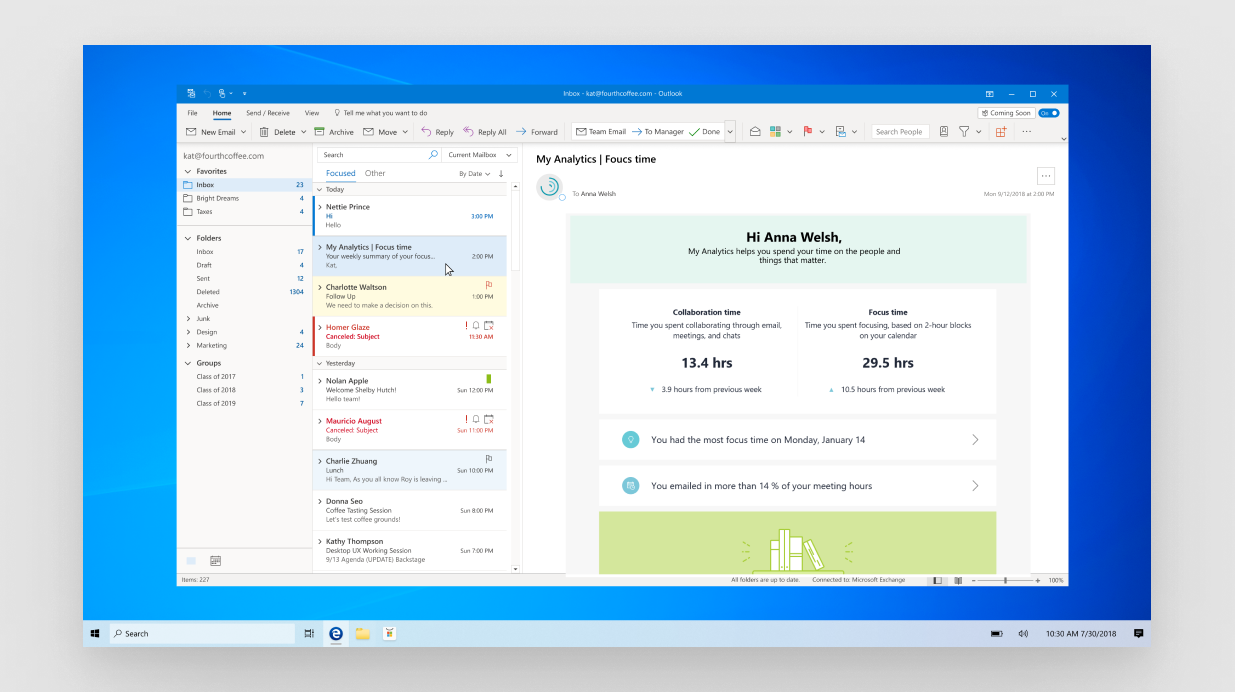
Summary can be provided from various places, through Action Center, email or accounts and services web page.
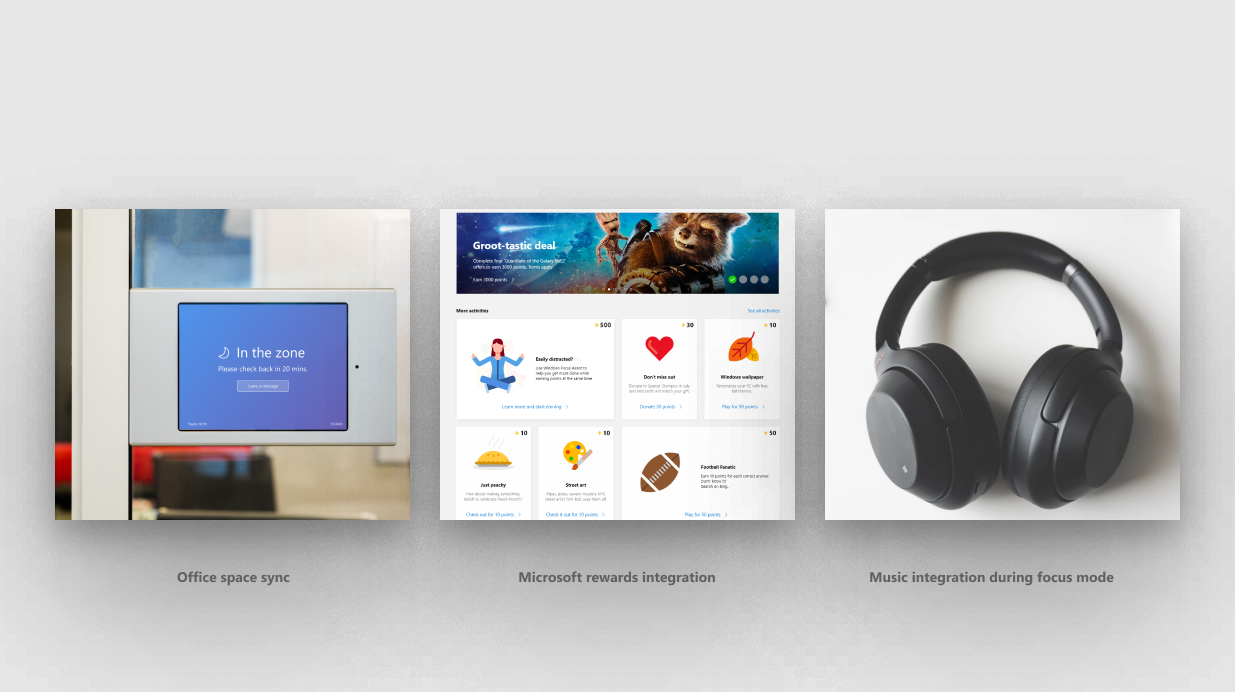
The Focus timer should sync with surrounding devices, environments and celebrating through Microsoft Rewards.